
Testnet
Setup Delegate
Find the Delegates modal and add a delegate address for API signing
Setup Delegate
After account setup and funding, add a delegate address that your API client will use for signing.
Prerequisites
- Complete Setup Account
- Open https://app.cascade.cooking
- Have your delegate EOA address ready (
0x...)
1) Open the profile menu
In the top-right of the app, open your profile menu and click Delegates.
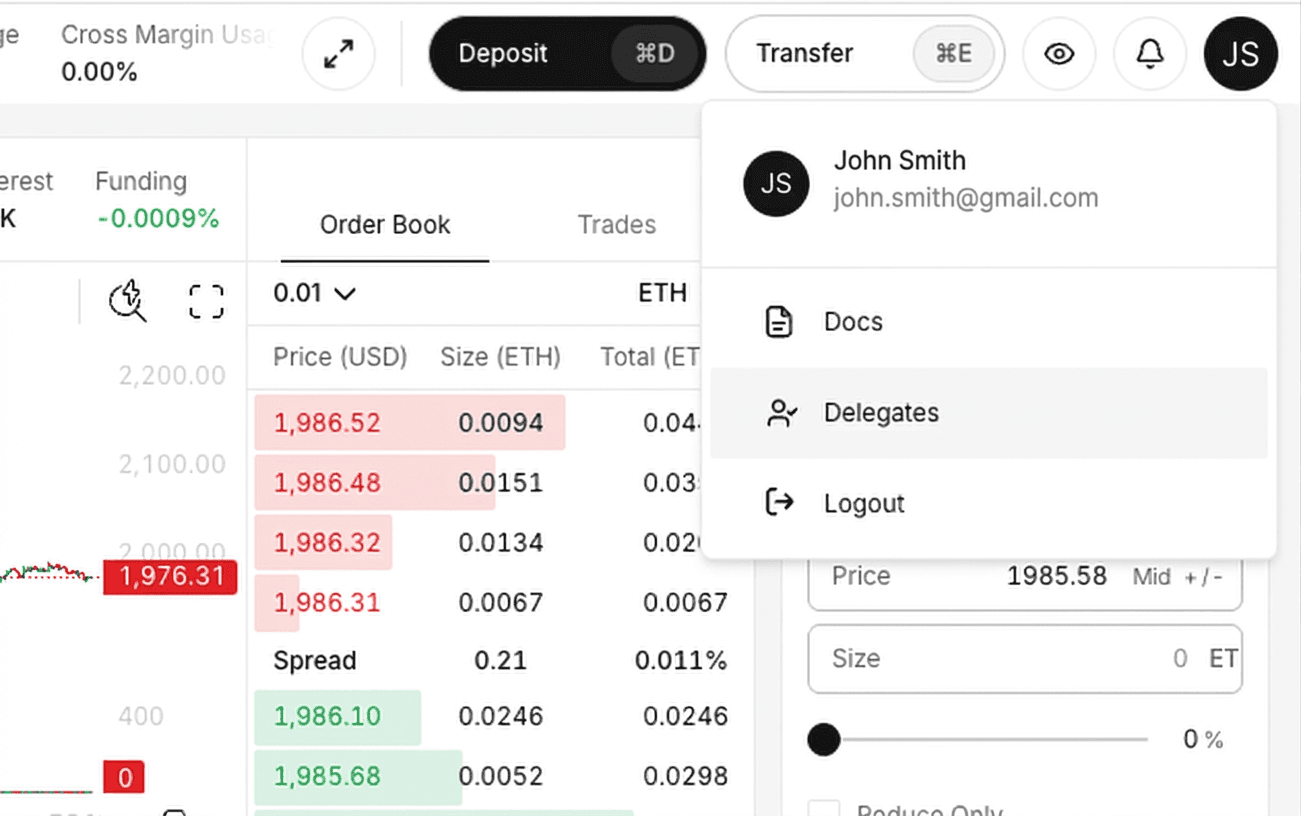
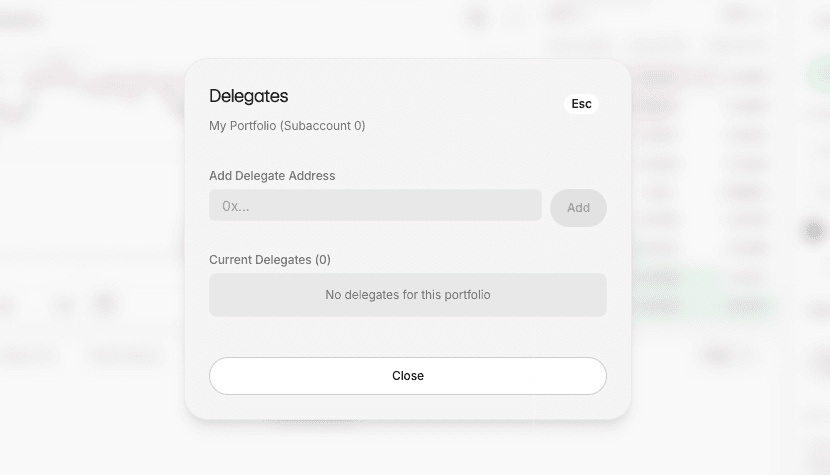
2) Confirm the empty Delegates modal
You should see the Delegates modal with the Add Delegate Address input.
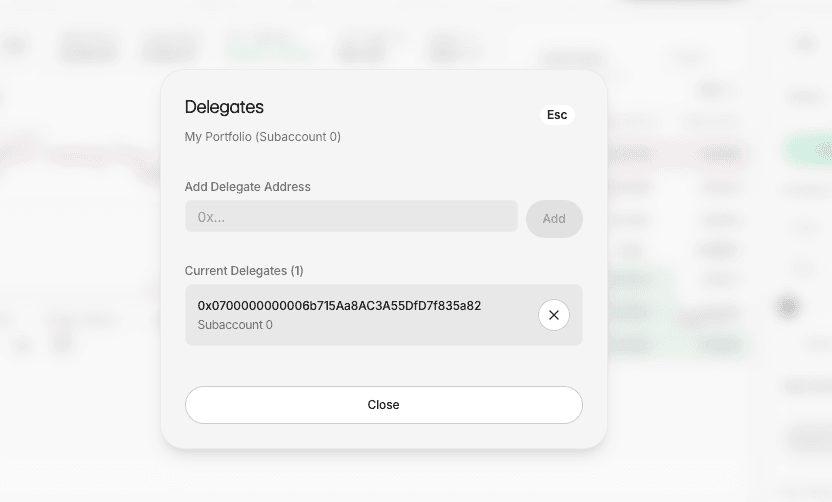
3) Add the delegate address
In the modal:
- Paste the delegate address in Add Delegate Address
- Click Add
- Confirm it appears in Current Delegates
Verify via API
curl "https://engine.cascade.cooking/account/delegates?account=<ACCOUNT>&subaccountIndex=<INDEX>" \
  -H "Authorization: Bearer <token>"
If auth/signing still fails, verify you are using the correct account + subaccountIndex pair.
Next step
Continue to Connect to API.